Volume discounts
Volume discounts with quantity breaks
Add volume discounts to your product pages, so shoppers save more when they buy more of a product. They see the offer above the buy buttons, and the cart gives the discount by itself.
Coming soon to the Shopify App Store
See all 13 tools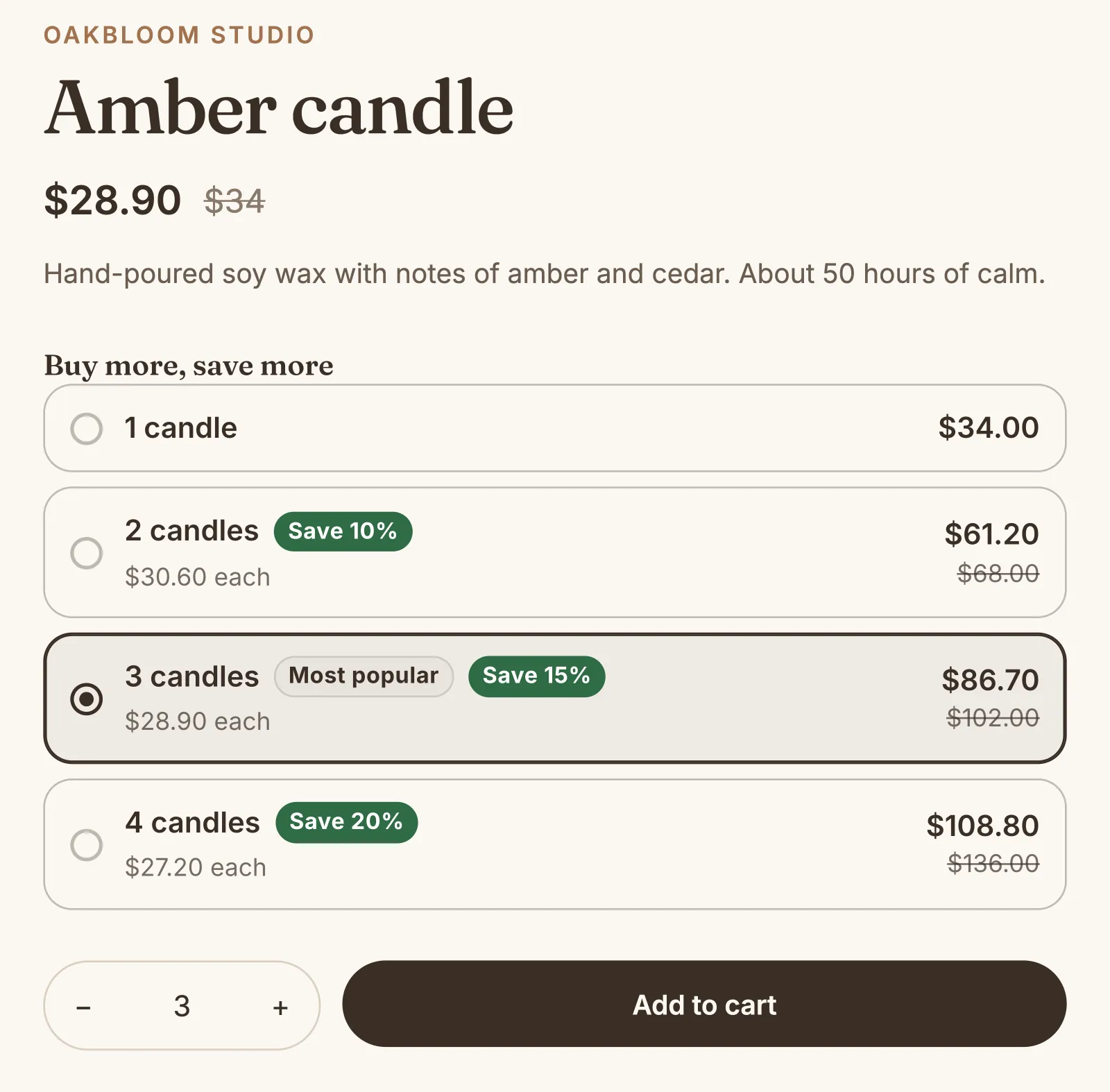
What it does
Up to 4 quantity breaks
Each step is a quantity and a percentage off each unit, for example buy 2, save 5%, and buy 3, save 10%. The discount applies to each unit once the cart reaches the step.
A smart curve for big orders
For tiered pricing on big orders, give a start and an end, for example 5% off 2 units and 30% off 50. The discount on each unit grows in between, in the shape that you choose.
Unit price at each step
By default, the product's price on the page drops to the price of each unit at a step, with the regular price struck through. If the app cannot find your theme's price, the offer shows the unit price.
A short message or cards
Show a short message, "Buy 2+, save 5%", or a card for each step under "Buy more, save more". A tap on a card sets the quantity, and a card can have a label, such as "Best value".
No discount code to type
The cart and the checkout take the discount off by themselves. They name it "Volume discount", or the name that you choose.
Sales of the last 30 days
The Volume discounts page shows what your offers sold, and how often shoppers saw an offer, added it to the cart and bought it.
How to start
Turn on Volume discounts
Install Super Useful, then turn on Volume discounts on the app's Dashboard. Turn on the app embed once, in your theme editor: the Dashboard has a link to it.
Set your steps
Add a quantity discount for all products or for chosen ones, with steps or a smart curve. A live preview shows it on a product page.
Shoppers pick a quantity
Shoppers choose how many to buy. Once they add enough units for a step, each unit gets the discount of that step.
Questions
Can I give some products their own steps?
Yes. Make up to 20 volume discounts. An offer for chosen products wins over an offer for all products, so each product gets the steps made for it.
Do the variants of a product count toward the same step?
Yes. One red mug and one blue mug make 2 mugs. Each product counts on its own, so 1 mug and 1 plate do not reach a step of 2.
Can volume discounts combine with my other discounts?
You choose, on the Settings page of Volume discounts: combine them with order discounts, other product discounts and shipping discounts, or not. When two discounts do not combine, Shopify gives the shopper only one of them.
Can I show the volume discount under the price?
Yes. In the theme editor, add the Volume discount block under the price, or where you want it on the product page. The offer then shows only in the block.
More answers in the questions and answers.
Also in Super Useful
One app and one subscription. Turn on only the tools that you need.
Volume discounts, and 12 more tools
All in one app for your Shopify store.
Coming soon to the Shopify App Store