Image optimizer
Image optimizer with compression and AI alt text
Super Useful's image optimizer makes the image files of your Shopify store smaller, with no visible change. It also suggests alt text for the images that have none, for you to review.
Coming soon to the Shopify App Store
See all 13 tools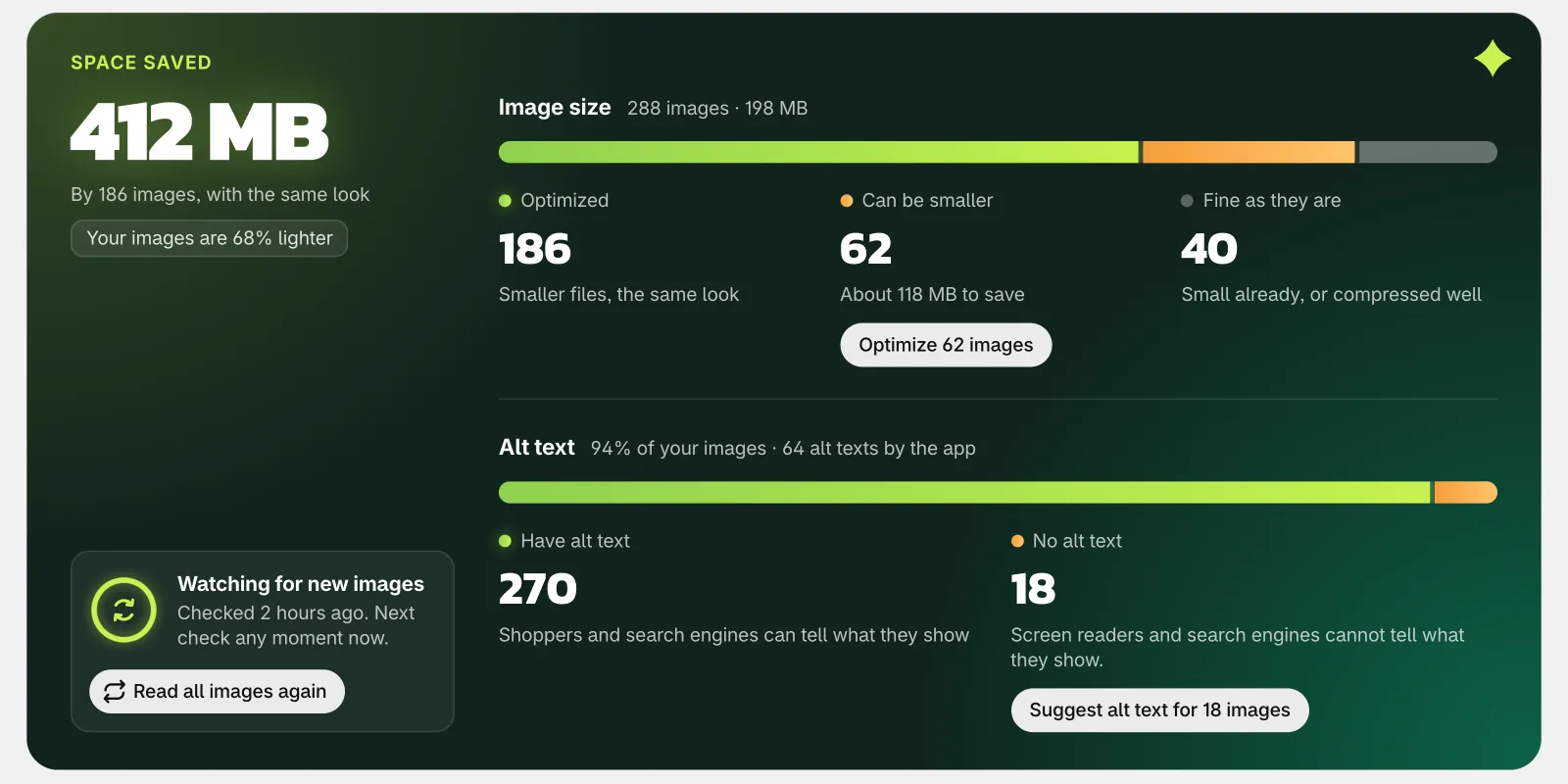
What it does
Image compression with a quality check
The app compares each smaller file with its original, also in small parts such as a face or a label. With Balanced, the default, images look the same as before, also when you zoom in.
Very large images resized
By default, an image with a side longer than 3840 px, the width of a 4K screen, gets that size. Shopify still makes each smaller size that your theme asks for.
Same images, same links
Each file keeps its name, its links and its alt text in Shopify. Your products, pages and theme show the same images as before.
New images done for you
The app checks for new images every 10 minutes, and optimizes the ones that can be smaller. You can turn this off in Settings.
AI alt text that you review
For each image with no alt text, the AI suggests a short text in your store's main language. Edit it if you like, then save it, or save all of them at once.
Edit alt text in one place
The list of your images shows the alt text of each one, with a button to write or edit it. Screen readers read alt text to shoppers who cannot see the image, and search engines read it too.
How to start
Turn on Image optimizer
Install Super Useful, then turn on Image optimizer on the app's Dashboard.
Open Image optimizer
The app reads your images without changing them. It shows how many can be smaller, and how many have no alt text.
Optimize and review
Click Optimize to make the files smaller, and leave the page if you like. Then ask the AI for suggestions, check each one, and save.
Questions
Which images can it optimize?
JPEG, PNG and WebP images in your store's Files, where Shopify keeps your product images too. It leaves GIFs, animations, SVG files and small images as they are. Images that come with your theme, or that are on other sites, are not in Files, so the app cannot change them.
Can I undo the image compression?
Yes, for 30 days. The app keeps a copy of each original, and Restore puts it back at the same link. Restore all puts back all of your images at once.
Does the AI change alt text that I wrote?
No. The AI writes only for images that have none, and the app never changes text that you wrote. It saves a suggestion only after your review, unless you turn on Write alt text for new images.
Can it make my images even smaller?
Yes. In Settings, choose Smaller files in place of Balanced. The files get smaller, but some images can look a little softer when you zoom in.
More answers in the questions and answers.
Also in Super Useful
One app and one subscription. Turn on only the tools that you need.
Image optimizer, and 12 more tools
All in one app for your Shopify store.
Coming soon to the Shopify App Store