Product reviews
Product reviews with photos and star ratings
Collect product reviews with photos, and show them on your store with star ratings. The app asks buyers for a review by email after their order ships, and it can bring in reviews from Judge.me, Loox, Yotpo or Okendo.
Coming soon to the Shopify App Store
See all 13 tools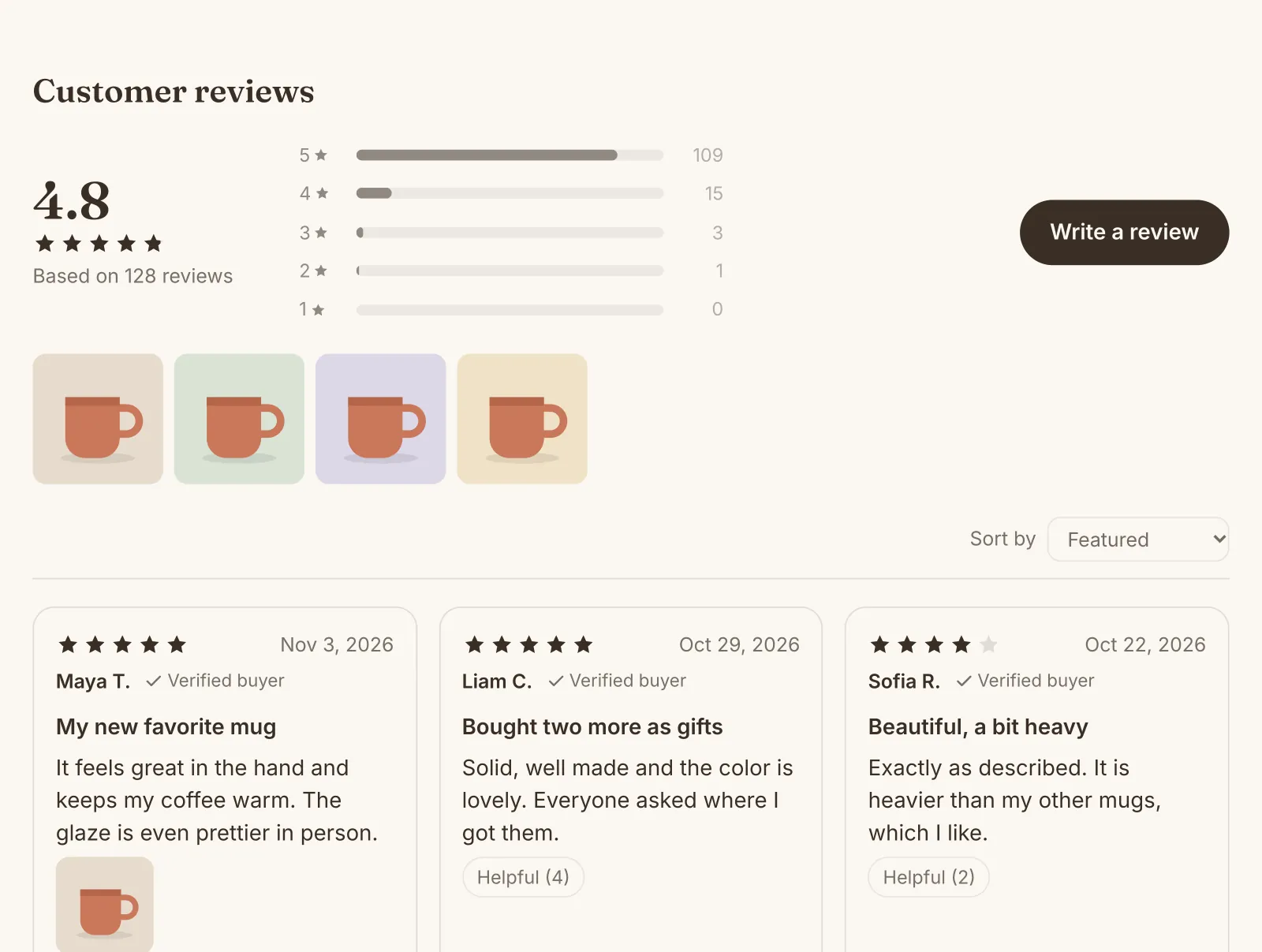
What it does
Review requests by email
The app asks buyers for a review after the order ships or arrives, with a wait that you choose. One email asks about all the products of the order, and one reminder can follow.
Photo reviews and verified buyers
Customers can add up to 3 photos to a review. By default, only buyers of the product can write one, so each new review shows Verified buyer.
Star ratings on products and cards
Stars show under the product title and on product cards in collections, search results and product lists. The reviews show after the product, as a list or a grid.
Import reviews from your old app
Reviews that you hid in your old app stay hidden here. Reviews of products that your store no longer has can go on another product, or count in your store's rating.
Replies, featured reviews and a carousel
Reply to a review, and your reply shows under it. A carousel on the home page shows your best reviews, 4 stars and up, with the ones you feature first.
A rating in your colors
Show stars, hearts or dots, in your brand color by default. Shoppers can sort the reviews, filter them by stars and mark them helpful.
Switching from Judge.me, Loox, Yotpo or Okendo? Bring your reviews, with their photos, replies and dates. See what comes in before you import, and export your reviews at any time.
How to start
Turn on Product reviews
Install Super Useful, then turn on Product reviews on the app's Dashboard. Turn on the app embed once, in your theme editor: the Dashboard has a link to it.
Choose how you collect reviews
On the Product reviews page, choose who can write a review and when the review emails go out. Import your old reviews if you have some.
Shoppers see the reviews
The reviews and the stars show on your product pages, each in its place, with no change to your theme. To show them somewhere else, add their blocks in the theme editor.
Questions
Can I import my reviews from Judge.me?
Yes. Judge.me exports your published, hidden and archived reviews as three CSV files. Import each one on the Import or export page of Product reviews, before you uninstall Judge.me, so the app can copy the photos.
When does the review request email go out?
You choose how many days it waits after the order ships, or after the carrier says that it was delivered. By default, it goes 14 days after the order ships, with one reminder 7 days later when there is no review. In the EU, the UK and some other countries, only customers who accept marketing emails get it.
Can I hide negative reviews?
Not only because they are negative: in the US and the EU, the rules on reviews forbid it. To hide a review, you choose a reason, such as spam, a fake review, offensive words or personal information.
Do the stars show on my collection pages?
Yes, by default, for the products with the most reviews, up to several hundred products. A card that already shows a rating, for example from your theme's own setting, gets no second one. In themes that take app blocks in their cards, such as Horizon, you can place the Star rating block yourself.
More answers in the questions and answers.
Also in Super Useful
One app and one subscription. Turn on only the tools that you need.
Product reviews, and 12 more tools
All in one app for your Shopify store.
Coming soon to the Shopify App Store