Countdown timer
Countdown timer for sales and shipping cut-offs
Add a countdown timer to your product pages that counts down to the real end of a sale, or to today's cut-off for shipping. Shoppers see the time left above the buy buttons.
Coming soon to the Shopify App Store
See all 13 tools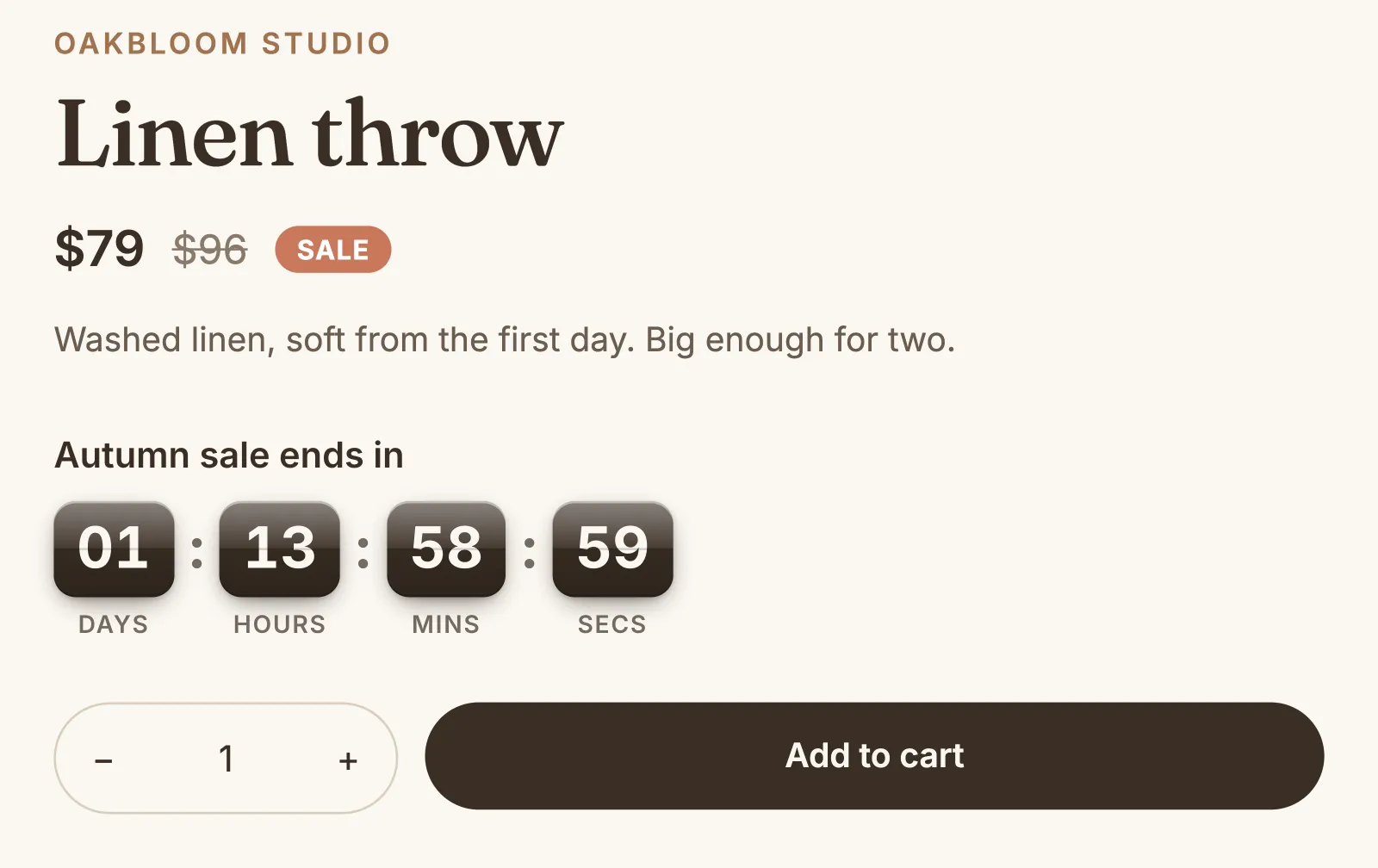
What it does
Sale timer with a real end
Set the date and time that your sale ends, and a start if you want one. Before the start the timer does not show, and after the end it goes away for good.
A daily shipping cut-off
Count down to the last time to order for same-day shipping, for example 2:00 PM, on the days that you choose. After the cut-off, the timer comes back on the next of those days.
Pick the products
Show a timer on all product pages, only on products on sale, or on up to 50 products that you pick.
Up to 20 timers
Plan a timer for each sale and one for your shipping cut-off, each with its own look. A product page shows one timer at a time: the first in your list that runs now.
Three styles in your colors
Choose a box, plain text, or a ticker with a tile for each unit of time, in your brand's colors, ready-made colors or your own. The box and the ticker can be flat, gradient, gloss or shimmer.
Above the buy buttons by itself
The timer shows above the buy buttons with no change to your theme. For another place, such as under the price, add the Countdown timer block in the theme editor.
How to start
Turn on Countdown timer
Install Super Useful, then turn on Countdown timer on the app's Dashboard. Turn on the app embed once, in your theme editor: the Dashboard has a link to it.
Add your timer
Click Add timer, then choose the end of a sale or a daily order cut-off. Write your message, and check it in the live preview of a product page.
Shoppers see the time left
On the products that you chose, shoppers see the days, hours, minutes and seconds left.
Questions
Does the countdown timer change my prices or end my sale?
No. The timer only shows the time left. Set your sale prices or your discount in Shopify, and end them at the time that the timer shows.
Can I show a sales countdown only on products that are on sale?
Yes. Choose Products on sale. The timer then shows only while the product, or one of its variants, has a compare-at price higher than its price.
Does the countdown reset when a shopper comes back?
No. Each timer counts to the end that you set in your store's time zone. The sale ends at the same moment for all shoppers, wherever they are.
What happens when the timer reaches zero?
A sale timer goes away and does not show again, and your list marks it Ended. A daily timer comes back on the next day that you chose. If another timer runs on that page, it shows instead.
More answers in the questions and answers.
Also in Super Useful
One app and one subscription. Turn on only the tools that you need.
Countdown timer, and 12 more tools
All in one app for your Shopify store.
Coming soon to the Shopify App Store