Pop-up
An email popup for sign-ups and welcome codes
Add an email popup that asks visitors to join your list, with a welcome code as a thank-you if you like. You choose when it opens, how often, and on which pages.
Coming soon to the Shopify App Store
See all 13 tools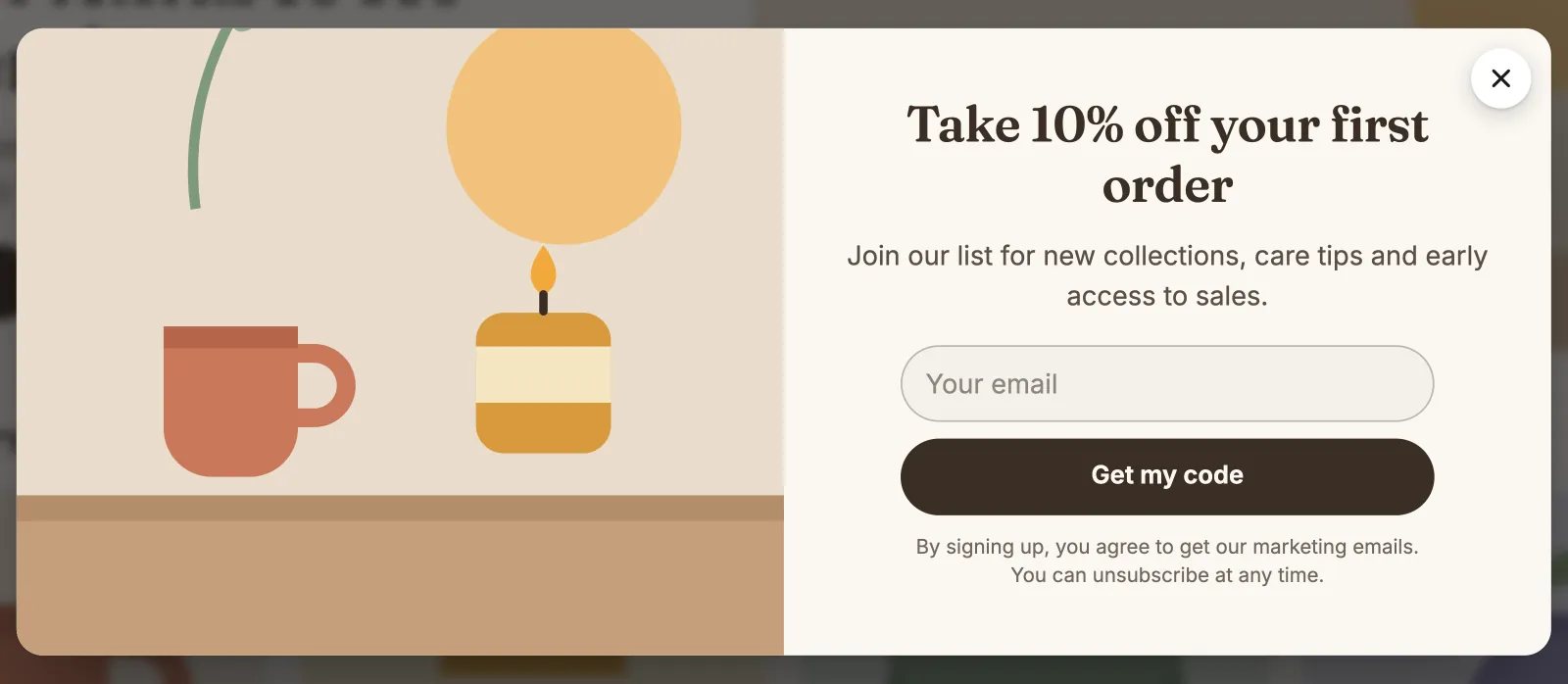
What it does
Sign-ups join your Shopify customers
Each email sign-up is saved in your Shopify customers, as a customer who accepts email marketing. It also gets the tags that you choose, for example newsletter.
A welcome code after the sign-up
Make it a discount popup: after the sign-up, it shows a code that you made in Shopify, with a Copy button. Only the shoppers who sign up see the code.
Double opt-in when you need it
Turn on Ask shoppers to confirm their email: each shopper gets an email with a link, and joins your list and sees the code only after they confirm. Some countries ask for it, for example Germany.
You choose when it opens
It opens after a few seconds, when the shopper scrolls down, or when the mouse leaves the page on a computer (on a phone, after 10 seconds). It waits while a cart drawer is open or while the shopper types.
You choose how often it shows
Show it again after some hours or days, once in each visit, or only once. A shopper who signed up in this browser, or a signed-in customer who already gets your emails, sees no email pop-up.
Message pop-ups for news and promotions
A pop-up can also show a message with an image or a GIF, and a button. Plan its dates, and show it on all pages or only on the pages that you list.
How to start
Turn on Pop-up
Install Super Useful, then turn on Pop-up on the app's Dashboard. Turn on the app embed once, in your theme editor: the Dashboard has a link to it.
Make your email pop-up
Add a pop-up and choose Collect emails. Write the headline and the button, add a welcome code if you want one, then pick an image and the colors.
Visitors sign up
Shoppers see the pop-up at the moment and on the pages that you chose. Its card in your list of pop-ups counts the sign-ups of the last 30 days.
Questions
Does the newsletter pop-up connect to my email marketing app?
Not directly. Each sign-up is a Shopify customer who accepts email marketing, so an email app that sends to your Shopify customers can reach them. Give the pop-up its own tag to find these customers.
Does it give each shopper a unique discount code?
No. It shows one code that you make in Shopify's Discounts, where you also set its rules, for example one use for each customer. Shoppers copy the code and enter it at checkout.
Does the pop-up work on phones?
Yes. On a phone, it fits the width of the screen, and an image from the side moves above the text. The editor's preview shows the phone view too.
Can I run more than one pop-up?
Yes, up to 20, for example one for sign-ups and one for a sale on other pages or dates. A shopper sees one pop-up at most on a page. When two would show together, the editor warns you, and the pop-up that you save stays off until you turn it on again with other dates or pages.
More answers in the questions and answers.
Also in Super Useful
One app and one subscription. Turn on only the tools that you need.
Pop-up, and 12 more tools
All in one app for your Shopify store.
Coming soon to the Shopify App Store